An EBT card declined message can hit at the worst possible moment—right when you’re trying to pay for groceries, feed your family, or finish a pickup order. The good news is that an EBT card declined alert usually has a fix, and most solutions are straightforward once you know what the payment system is reacting to.
EBT works like a debit transaction, but it has extra rules. The card is tied to specific benefit “purses” (like grocery benefits and cash benefits), item eligibility rules, retailer authorization rules, and security controls that can block suspicious transactions.
That’s why EBT card declined issues can happen even when your card looks fine and you think you have money available.
This guide breaks down the most common reasons an EBT card declined message happens, how to troubleshoot quickly, and how to prevent repeat declines—plus what’s changing next as EBT systems modernize.
What to do immediately when your EBT card is declined at checkout
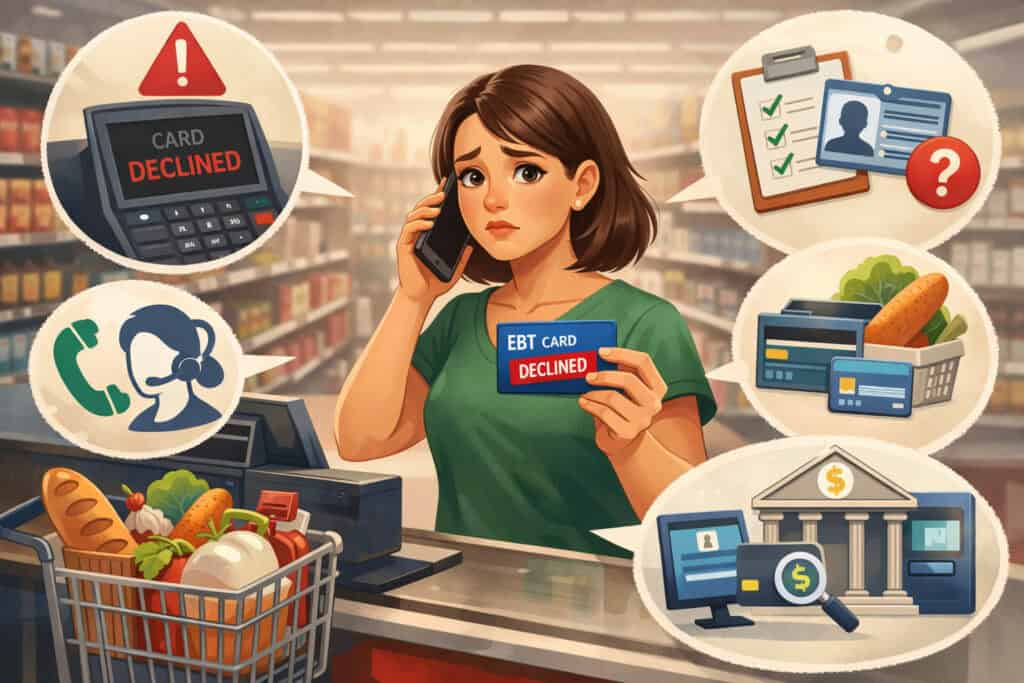
When you see EBT cards declined, start with quick, low-stress checks that solve a large percentage of declines. First, pause and confirm you’re using the right payment method on the terminal.
Many stores have multiple tender types, and selecting EBT SNAP vs EBT cash matters. If the cashier accidentally starts the transaction as a different tender type, you can get an EBT card declined result even with available benefits.
Next, re-check your PIN entry. PIN errors are common because the keypad timing can be fast and the screen prompts differ by terminal.
If your card allows only a limited number of tries before a security lockout, repeated PIN errors can turn a small mistake into a larger EBT card declined problem. If you’re not sure about your PIN, stop guessing and move to a reset process.
Then look at the purchase mix. Many “declines” are actually item eligibility conflicts. If your cart includes hot prepared foods, vitamins, supplements, alcohol, tobacco, or other restricted items, the register might not split them correctly and may trigger an EBT card declined message for the SNAP portion.
Federal guidance is clear that certain items are not eligible for SNAP purchases, including hot foods at the point of sale and items labeled as supplements.
Finally, consider a temporary system issue. Payment networks and EBT processors can have short disruptions, and stores sometimes have connectivity drops. In these cases, your EBT card declined message isn’t your fault—and retrying in a minute or using another lane can work.
How EBT declines work (and why they can feel confusing)
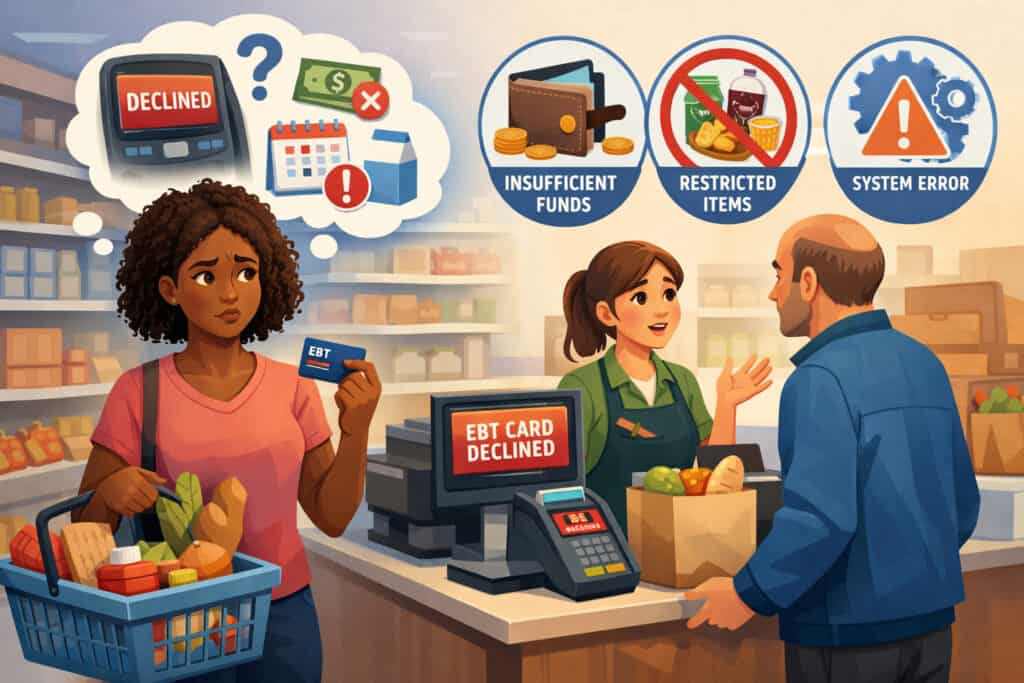
An EBT card declined transaction isn’t one single error. It can be triggered by your account status, the store’s equipment, the processor’s network, the items scanned, or your security settings.
EBT transactions route through state-contracted processors, and each state’s system can handle prompts, error messages, and protections slightly differently. That’s why two people can experience “declined” in different ways, even while shopping at the same retailer.
The other reason EBT card declined situations feel confusing is that “available” benefits can be split across categories. Grocery benefits and cash benefits are not interchangeable, and certain fees (like delivery, service, or tips) are often not eligible for SNAP payment.
For online shopping, the rules can be even stricter because the retailer’s checkout must separate eligible SNAP items from non-eligible charges.
USDA’s SNAP online purchasing guidance emphasizes that retailers must process EBT correctly in approved online systems, which means a technical mismatch can cause an EBT card declined event even when your card is valid.
Security is another factor. Due to increasing benefit theft through skimming and fraud, more states have added protections like freezing the card, blocking out-of-state transactions, or blocking online transactions.
These are great tools—but if you enabled them and forgot, they can produce an EBT card declined result that looks like a balance problem when it’s actually a security restriction.
Understanding these moving pieces makes troubleshooting faster. Instead of assuming you “ran out,” you can pinpoint whether the EBT card declined issue is account-related, cart-related, retailer-related, or security-related.
Most common reasons your EBT card is declined (and the fix for each)
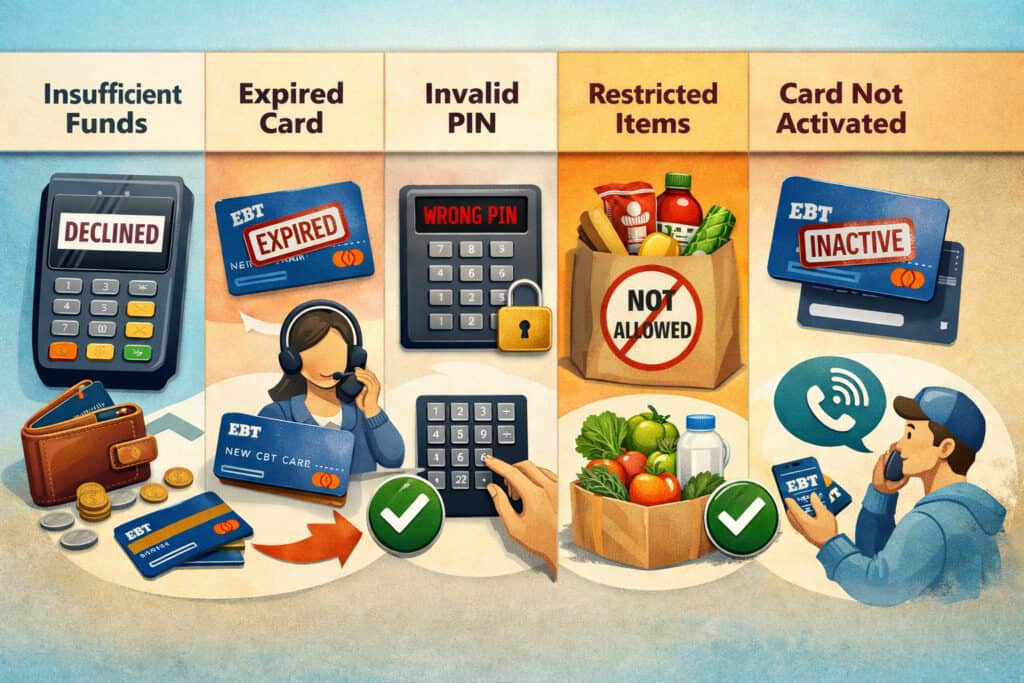
Insufficient SNAP or cash balance (including “pending” benefit timing)
The most common EBT card declined reason is simply not having enough available balance in the correct benefit category. This can happen even if you recently received benefits—because deposits can be posted at different times, and some states show deposits scheduled before they become spendable.
A balance mismatch can also happen when the register tries to charge SNAP for a non-SNAP amount. For example, delivery fees, bottle deposits in some areas, service charges, and tips generally don’t qualify as SNAP items. If the system doesn’t split the order cleanly, you may see your EBT card declined even though you have enough benefits for the groceries portion.
Fix: Check your EBT balance before retrying. Many states support balance checks and transaction history via official portals or apps (often through ebtEDGE), which can show current balances and recent authorizations.
California’s EBT resources highlight that cardholder tools can show balances, transactions, and schedules—helpful when you’re trying to confirm whether a deposit posted.
If your balance is lower than expected, look at recent activity for holds, reversals, or suspicious transactions. If something looks wrong, treat it as a security issue and report it right away (more on that below).
Incorrect PIN or too many failed PIN attempts
PIN mistakes are a classic EBT card declined trigger. Sometimes the decline message doesn’t clearly say “PIN,” especially if the terminal displays a generic “declined” response. If multiple attempts fail, some systems may lock the PIN functionality temporarily, which turns a simple typo into a longer disruption.
Fix: Stop guessing. Reset your PIN using your state’s approved method. Many states offer PIN changes through phone systems, online portals, or app-based tools. A practical step-by-step approach is to use your state’s customer service or supported portal to reset the PIN, then attempt a small eligible purchase to confirm it works.
Also watch for shoulder-surfing at checkouts. PIN compromise can lead to fraud and later EBT card declined issues when funds disappear.
Item not eligible for SNAP (hot foods, supplements, and more)
Another very common EBT card declined scenario is when your cart includes items SNAP cannot cover and the checkout isn’t splitting them correctly. SNAP eligibility rules restrict certain categories, including hot foods at the point of sale and products labeled with “Supplement Facts” (which are treated as supplements).
This can happen in deli areas, convenience stores, or stores with café seating, where similar items may be coded differently. A cold, packaged sandwich might be eligible, while a hot sandwich or café item might not be. If the store’s POS tries to run the entire basket under SNAP, the system can respond with EBT card declined or “not authorized.”
Fix: Ask the cashier to split the transaction. Run SNAP-eligible groceries first, then pay remaining non-eligible items with another payment method. If you’re using self-checkout, try separating eligible items into one transaction to avoid confusion.
Retailer not authorized for EBT or the lane/terminal isn’t enabled
Not every store is authorized to accept SNAP EBT, and even within an authorized store, not every lane or terminal is always configured correctly. Temporary equipment swaps, updates, or misconfigured self-checkout stations can lead to an EBT card declined message that looks like an account problem.
Fix: Confirm the retailer accepts EBT. For online orders, verify the retailer is approved for SNAP online purchasing and that you’re checking out in the correct EBT-enabled flow. USDA maintains guidance and participating retailer details for SNAP online use.
In-store, ask to try another lane or the customer service desk terminal. If the second terminal works, the first terminal likely had a configuration or connectivity issue—not a problem with your account.
Processor or network outage (your card is fine, the system isn’t)
Sometimes EBT card declined happens because the store can’t reach the processor. This can be store internet problems, a payment router issue, or a processor disruption. You’ll often see multiple customers impacted, sometimes across multiple retailers.
Fix: Try again after a short wait, switch lanes, or come back later. If you suspect a broader outage, check your state’s EBT help channels or official alerts when available. While many third-party “outage maps” exist, they aren’t always reliable, so prioritize state notices and direct retailer confirmation.
Card damaged, chip/magstripe issues, or card expiration/replacement needs
EBT cards can wear out. Damaged magstripes, cracked cards, or chips (where implemented) can all cause EBT card declined if the reader can’t capture the card data consistently. Some states also require replacement if your card is old, expired, or compromised.
Fix: Request a replacement card through your state’s EBT customer service. State program pages often note replacement procedures and when a new card is or isn’t automatically issued. For example, Florida’s EBT guidance explains that replacement cards may require contacting EBT customer service and that a new card is not always automatically mailed after approval.
If your card only fails on swipe but works on manual entry (where allowed), that’s a strong clue the physical card is the issue.
Security restrictions you turned on (freeze card, block out-of-state, block online)
A modern and increasingly common EBT card declined reason is security controls. Because benefit theft has grown, states and processors have rolled out controls like freezing the card or blocking certain transaction types. New York’s guidance on “Freeze Card” explains that freezing blocks purchases, balance inquiries, and transactions until you unfreeze it.
Similarly, some states let you block out-of-state purchases or block internet transactions. Florida describes transaction restrictions like blocking out-of-state transactions (including online purchases delivered outside your state).
Fix: Open your official cardholder portal/app and confirm your settings. If you froze the card, unfreeze before checkout and refreeze afterward. If you blocked out-of-state or online transactions, adjust settings based on your purchase needs.
Suspected fraud or stolen benefits leading to empty balances
Fraud can cause a brutal version of an EBT card declined: your balance is suddenly gone. Federal agencies have documented rising EBT skimming and benefit theft, encouraging preventive actions and state-level protections.
Fix: Report immediately to your state EBT customer service and your local benefits office. Use your portal/app to freeze the card if available, change your PIN, and request a replacement card if you suspect compromise. Time matters because fraud patterns can repeat right after a new deposit.
Also note an important policy change: federal authority for states to replace stolen SNAP benefits using federal funds had a defined “theft period,” extended to end on Dec. 20, 2024 (for benefits stolen within the eligible dates).
That means replacements after that window may depend on state policy and funding, so fast reporting is even more important.
Troubleshooting by the message you see on the screen
“Not authorized” or “Transaction denied”
When “not authorized” appears, it typically means one of three things: the items aren’t eligible, the retailer/terminal isn’t approved for that tender type, or a restriction is blocking the transaction. Eligibility issues are common when hot foods, supplements, or other restricted items are included.
Fix: Split the transaction into SNAP-eligible items only. Confirm the store accepts EBT for the benefit type you’re using. Then check security restrictions like freeze mode or out-of-state blocks using your portal/app. If the problem follows you to multiple stores, contact customer service to confirm your account status.
“Invalid PIN” or “PIN tries exceeded”
This one is more direct. If you see it, don’t keep trying random numbers. Too many attempts can cause delays and may require a reset path.
Fix: Reset your PIN through your state’s approved method. Many states support PIN resets in official portals or by phone, and some cardholder tools explicitly support PIN management. After resetting, make a small eligible purchase to confirm your PIN works before doing a large shopping trip.
“System unavailable” or “Try again later”
This is often a connectivity or processor issue. It can be store-side (internet down), lane-side (terminal offline), or system-side (processor disruption). The frustrating part is that it looks like EBT card declined, but it isn’t tied to your account.
Fix: Try another lane or ask staff if other EBT transactions are going through. If the whole store is down, you may need to return later. Keep receipts and screenshots if the store provides any error reference numbers.
“Insufficient funds” even though you expected benefits
This usually indicates either (1) your balance is genuinely lower than expected, (2) the store is attempting to charge SNAP for non-SNAP items/fees, or (3) there’s a timing issue with deposits.
Fix: Check balance and recent transactions in your cardholder portal/app. California’s EBT cardholder tools note that you can view transactions and benefit schedules—useful for confirming deposit timing and tracking unexpected deductions.
If your balance is correct but the register still says insufficient, ask the cashier to separate SNAP items from any fees or non-eligible items.
Step-by-step: How to resolve an EBT card decline for good
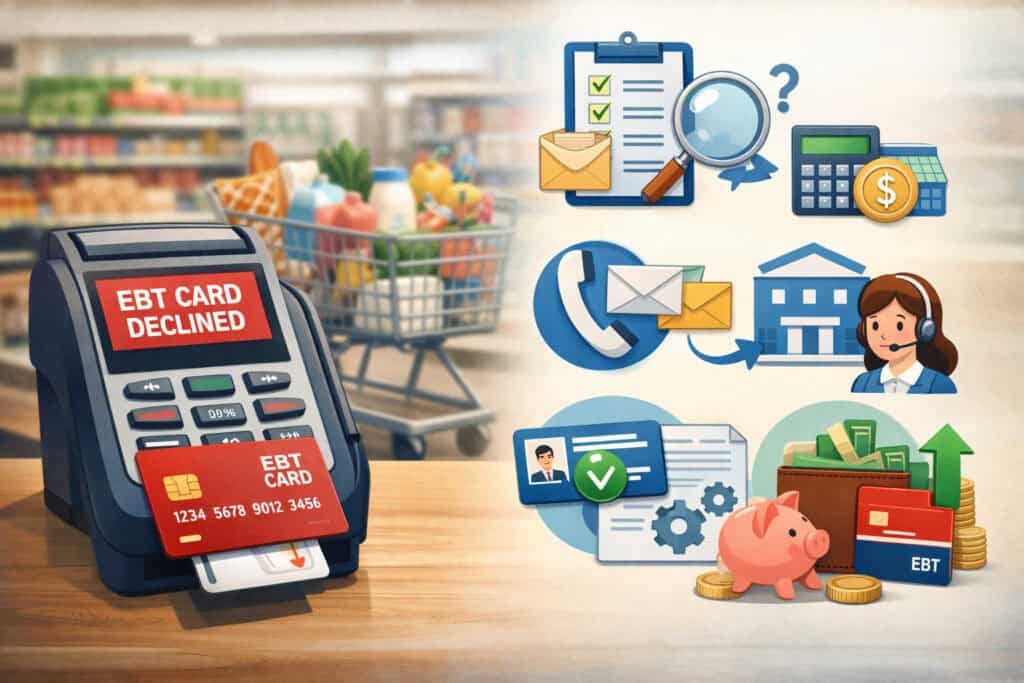
1) Verify your balance and recent transactions before you retry
The fastest path out of an EBT card declined situation is knowing whether you have available funds. Don’t rely on memory—verify in your official portal, app, or automated phone system.
When you check transactions, look for two patterns: (1) a string of “declined” attempts (which may signal PIN or restriction issues) and (2) unexpected purchases or out-of-area transactions (which may signal fraud).
If you see suspicious activity, treat it as urgent. Freeze the card if your state supports that feature, and contact customer service immediately. Tools like ebtEDGE can support security controls and transaction viewing in multiple states, with features like freezing/unfreezing and blocking internet/out-of-state transactions highlighted by state agencies.
2) Reset your PIN the right way (and avoid repeat lockouts)
PIN resets should be done through official channels, not repeated guesses at the terminal. Many states offer phone-based PIN changes, and some offer portal/app resets.
After resetting, protect the new PIN. Avoid obvious patterns (birth year, 1234). If you shop in busy stores, cover the keypad with your hand. PIN theft is one of the easiest paths to benefit from theft, which can later cause EBT card declined because your balance has been drained.
3) Replace a damaged or compromised card
If your card is physically damaged, repeatedly fails on swipe, or you suspect fraud, replacement is often the best solution. Follow your state’s replacement process through customer service or your portal/app. State program pages commonly explain replacement rules and emphasize that replacement cards may require action from the cardholder.
If fraud is suspected, replacement should be combined with a PIN change and security restrictions (freeze when not in use, block out-of-state or online transactions if those aren’t needed).
4) Split transactions and remove non-eligible items
Because SNAP eligibility rules are strict, mixed carts can create messy declines. USDA’s eligible items guidance makes clear that certain categories (like hot foods at the point of sale and supplements) are not eligible.
A reliable method is to separate purchases:
- Transaction A: eligible groceries only (SNAP)
- Transaction B: everything else (another payment type)
This minimizes the chance your checkout triggers EBT card declined due to a coding mismatch.
5) Confirm security settings before shopping (freeze/unfreeze strategy)
If your state supports it, “freeze card” is one of the best anti-theft tools—but it can backfire if you forget it’s on. New York’s guidance is explicit: freezing blocks purchases and transactions until you unfreeze.
A practical routine:
- Unfreeze right before checkout
- Complete purchase
- Freeze again immediately afterward
If you also use “block out-of-state” or “block internet,” review those settings before travel or online ordering. Florida notes that out-of-state blocks can reject POS transactions outside your state and can also impact online purchases with delivery addresses outside your state.
EBT declines for online orders: the most overlooked causes
Online shopping adds new ways for EBT card declined to happen, even when your card works perfectly in-store. The biggest issue is payment separation. Many online carts include non-eligible charges like delivery, service fees, bag fees, substitutions, or tips.
Your online checkout must split SNAP-eligible items from everything else, and you usually need a second payment method for non-eligible costs.
USDA’s SNAP online purchasing resources explain that only approved retailers can accept SNAP EBT online and that participation varies by location. In addition, USDA technical guidance for online purchasing workflows highlights how transactions can be completed for pickup or delivery using approved POS approaches.
When a retailer’s system isn’t properly configured, it can generate an EBT card declined result at the payment step even though your account is fine.
Other common online triggers:
- Your security settings block internet transactions
- Your delivery address triggers an out-of-state block
- The retailer’s substitution engine adds non-eligible items
- Your cart includes hot prepared foods from a deli/café section
Fix: Use retailers listed as participating in SNAP online purchasing for your area, keep your cart mostly to eligible staples, and expect to add a backup payment method for fees. If your state offers “block internet,” turn it off briefly during checkout, then re-enable afterward.
Preventing future EBT card declines: security + habits that work
Protecting yourself from skimming and theft
Preventing fraud is now a core part of avoiding EBT card declined problems. Federal agencies have warned about rising EBT skimming schemes and recommend proactive protections and state-level actions.
Skimming prevention habits:
- Change your PIN regularly (especially right before deposit dates).
- Freeze your card when not shopping (if supported).
- Avoid swiping if a chip/tap option is available (where implemented).
- Inspect terminals for loose parts or unusual overlays.
- Prefer well-monitored checkout lanes over isolated terminals.
States are adding tools because thieves often use stolen data for out-of-state purchases. A recent GAO report notes pilots and measures such as automatically blocking potentially fraudulent transactions, including purchases outside the recipient’s home state.
As these protections expand, the upside is fewer theft-driven EBT card declined crises caused by drained balances. The downside is more “false declines” when legitimate travel or online delivery conflicts with a security rule—so knowing your settings matters.
Build a “pre-shopping checklist” that prevents awkward surprises
A small routine can reduce EBT card declined moments dramatically:
- Check balance before large trips.
- Unfreeze card (if frozen) before arriving at checkout.
- Keep SNAP-eligible items together.
- Plan a backup payment method for fees/non-eligible items.
- Avoid repeated PIN guessing—reset instead.
This isn’t about blaming the shopper. It’s about adapting to a system that has more rules and more security than a normal debit card.
When you should contact customer service (and what to say)
If EBT card declined happen repeatedly across multiple stores, or if your balance looks wrong, it’s time to contact your state EBT customer service or local benefits office. You’ll get faster help if you’re ready with:
- The date/time of the decline
- Store name/location
- The amount attempted
- Any on-screen error wording
- Whether it was SNAP or cash
- Your last successful transaction time
If you suspect theft, report it immediately and ask about card replacement, PIN reset, and whether replacements for stolen benefits apply in your situation. Federal authority for replacing stolen SNAP benefits using federal funds was tied to a defined benefit theft period that ended Dec. 20, 2024 (for eligible theft dates), so state policies may vary now.
If you need broader food assistance resources, USDA’s National Hunger Hotline can help connect people to local food resources.
Future outlook: how EBT declines may change over the next few years
EBT is in a modernization phase, driven by fraud pressures and the need for better security. One major shift is the push toward chip-based EBT cards. USDA has encouraged planning and provided guidance around transitioning SNAP EBT cards toward chip technology, recognizing implementation complexity and the need for careful testing and education.
Chip cards can reduce certain swipe-based skimming risks, which could reduce theft-driven EBT card declined incidents caused by drained balances.
Another trend is smarter transaction monitoring. As noted in GAO reporting, pilots and tools that automatically block suspicious patterns—like out-of-state fraud—are being explored. Over time, this could mean fewer catastrophic theft events, but more “protective declines” that require quick verification or adjusted security settings.
Online purchasing will likely keep expanding, but it will remain sensitive to checkout accuracy. USDA continues to maintain and update the participating retailer framework for online SNAP use.
That’s good for access, but it also means the most common online EBT card declined issues will keep being: fee separation, non-eligible items, address rules, and security blocks.
The best prediction: EBT card declined problems won’t disappear, but they will shift. Expect fewer declines caused by outdated tech and more declines tied to security settings and eligibility coding—especially for online carts and mixed prepared-food purchases.
FAQs
Q.1: Why does my EBT card keep getting declined when I know I have benefits?
Answer: If your EBT card declined message happens while you’re confident you have benefits, the cause is often not your total balance—it’s the mismatch between what you’re buying and what SNAP can cover, or which “purse” is being used.
Many registers default to SNAP and can’t apply SNAP funds to delivery fees, service charges, tips, hot foods, or non-eligible products.
USDA’s guidance on eligible items highlights restrictions like hot foods at the point of sale and supplements labeled with “Supplement Facts.” If those items are in your cart, the system may not split correctly, causing EBT card declined.
Another frequent cause is security settings. If you froze your card or enabled blocks on out-of-state or internet transactions, the purchase can be rejected even with plenty of funds. New York’s “Freeze Card” guidance explains that freezing blocks purchases and transactions until you unfreeze.
Florida also documents restrictions like blocking out-of-state transactions, which can affect both travel purchases and some online deliveries.
Q.2: Can an EBT card be declined because of a system outage?
Answer: Yes. An EBT card declined result can occur when the store’s terminal can’t reach the EBT processor or when the retailer’s network is down. In those cases, the system may show generic decline messages that look like account problems. If other shoppers are also having trouble, that’s a strong sign it’s a network or processor issue.
The practical fix is to try another lane, wait a few minutes, or return later. If you can, use your cardholder portal/app to confirm your balance and ensure your card isn’t frozen. When your portal shows normal balances and settings but you still get EBT card declined in multiple lanes at the same store, it points toward a store-side issue.
Q.3: Why does my EBT card work in-store but get declined online?
Answer: Online checkouts create more ways for EBT card declined to happen. The biggest reason is fee separation: online orders often include delivery fees, service charges, bag fees, and tips that SNAP won’t cover. Many retailers require a second payment method for those charges, even when you use EBT for the eligible grocery items.
Also, only approved retailers can accept SNAP EBT online, and the checkout flow must be built to support EBT correctly. USDA maintains SNAP online purchasing participation details and guidance, and technical requirements can affect whether a transaction is approved.
Finally, security settings like “block internet” or “block out-of-state” can reject online orders depending on your configuration and delivery address.
Q.4: What should I do if I think my benefits were stolen and now my card is declining?
Answer: If theft is the reason behind EBT card declined, act fast. First, freeze your card (if supported) to stop more transactions. Then change your PIN and call EBT customer service to report fraud and request a replacement card.
Federal agencies have recognized increasing skimming and benefit theft, encouraging preventive actions and security options.
Also be aware of replacement policy timing. Federal authority for replacing stolen SNAP benefits with federal funding applied to benefits stolen during a defined period, which ended Dec. 20, 2024 (for eligible theft dates).
After that, replacement may depend on your state’s policies and available funding. That’s why reporting immediately—ideally the same day you notice the issue—is crucial.
Conclusion
An EBT card declined message is frustrating, but it’s usually solvable once you narrow the cause. Most declines come down to a handful of issues: wrong PIN, insufficient funds in the correct benefit category, non-eligible items mixed into the transaction, terminal or retailer authorization issues, temporary outages, physical card problems, or security restrictions like freeze/out-of-state blocks.
The most effective approach is simple: verify balance, stop PIN guessing and reset properly, split eligible items from non-eligible charges, confirm your security settings, and replace the card if it’s damaged or compromised.
Just as important, build prevention habits—especially freezing the card and changing PINs regularly—because fraud and skimming can turn into the worst kind of EBT card declined problem: a drained account right after deposit.
EBT systems are evolving toward stronger security, including chip card modernization efforts and smarter fraud-blocking tools. That modernization should reduce theft-driven crises over time, but it will also make it more important to understand your account settings and shopping flow—especially for online orders.